
OnePro (Dark) - Icon Pack
EatosPersonalization
4.859.00 Reviews
- Version
- 1.5.9
- Installs
- 100.00K
- Age Rating
- Everyone
Screenshots
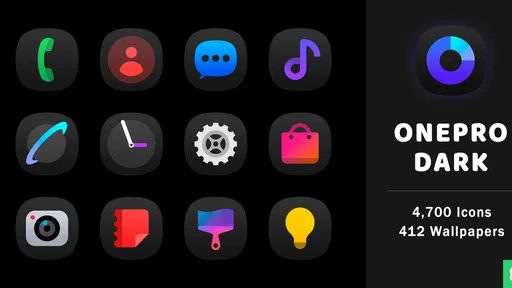
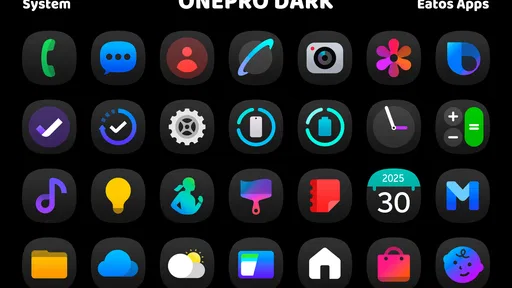
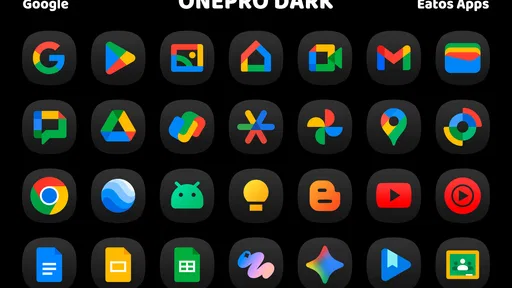
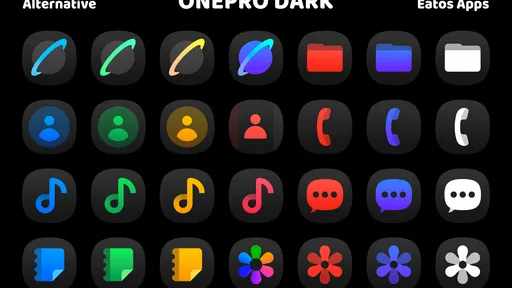
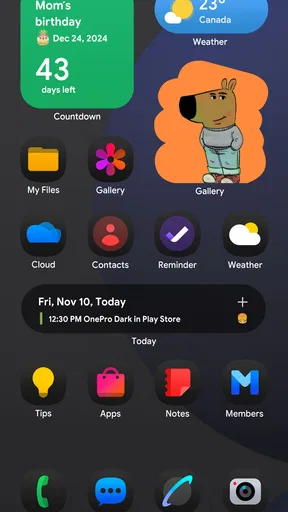
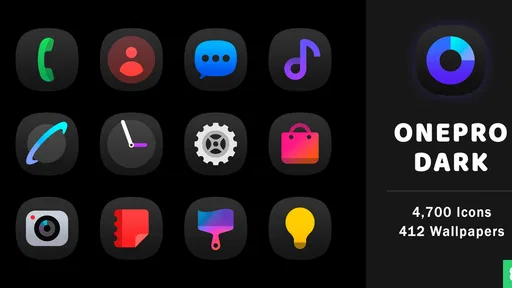
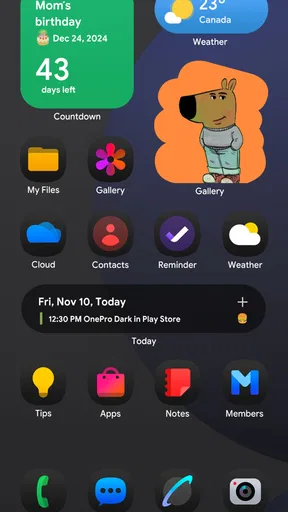
Our Review of OnePro (Dark) - Icon Pack
 Analysis by Appyee
Hey there, fellow app enthusiasts! Today, we're diving into something that's been sprucing up my home screen like nobody's business. If you're into customizing your phone's look and feel, you're going to love this one. I'm talking about the OnePro (Dark) - Icon Pack. Let's break down what makes this icon pack worth checking out.
Where this dark look fits best
I find a dark icon pack most convincing when it is part of a considered home-screen setup, rather than a change made in isolation. OnePro’s contrast can help colorful symbols stand out against a dark wallpaper, while a busy or very bright background may compete with the icons instead of letting them settle into the layout. I’d start by pairing it with a restrained wallpaper and a small number of frequently used shortcuts; that makes it easier to judge the visual change before applying the style across every screen.
There is a practical trade-off here: themed icons make a screen feel more coherent, but they do not change how an app works or make its controls easier to use. I’d choose this pack for the look of the launcher, not as a way to improve an app’s features. If you rely on distinctive original artwork to identify apps at a glance, a uniform dark treatment may take a little adjustment, especially when several icons use similar accent colors.
What the version tells me—and what it doesn’t
The current release is version 1.5.5, and the app arrived on September 8, 2024. That gives me a useful snapshot of its place in the product’s life, but it is not enough to claim a particular feature was newly added or that every icon has recently been refreshed. The developer is Eatos, and the pack has a 4.8 average from around 1,100 ratings, with more than 100,000 installs. Those figures suggest that plenty of people have tried it, though they cannot tell me whether its coverage matches the exact apps on your phone.
For someone already using the pack, the sensible way to think about a new version is as a reason to check the icon selection and launcher behavior, not as a promise of a dramatic redesign. If your home screen already looks right, there is no need to change your layout just because the version number is current. Before applying anything, I’d note which icons matter most to me and check those first; a pack can feel complete in general while still leaving one essential app with its default appearance.
A realistic day-to-day test
Imagine unlocking your phone first thing in the morning to check messages, the calendar, and the weather. Those are the shortcuts you see repeatedly, so they are a good test of whether the dark palette feels comfortable rather than merely striking in a preview. I’d apply the pack, use the phone normally for a day, and notice whether the key icons remain easy to distinguish in daylight and at night. That small trial is more useful than judging the design from a single screenshot.
For a tidy setup, I’d also keep widgets and icons in mind together. A light calendar widget beside dark icons can create a deliberate contrast, but several competing colors may make the screen feel less unified. A darker wallpaper and a simpler widget arrangement are a safer starting point. This is a personal styling choice, not a requirement, and the best result depends on how you already use your home screen.
First Impressions
Okay, so first things first. When I stumbled upon the OnePro (Dark) - Icon Pack, I was immediately drawn in by its sleek and minimal design. If you're a fan of dark mode, like me, then this icon pack will probably make you feel like you've just found the holy grail of icon packs. The dark tones mixed with vibrant colors make everything pop in such a sophisticated way.
Installation was a breeze. A quick download from the Play Store and I was on my way. Make sure you have a compatible launcher before diving in; it works perfectly with Nova, Apex, and a bunch of others. Once installed, the transformation is instant, and honestly, it’s like giving your phone a much-needed facelift.
Design and Customization
Now, the real star of the show here is the design. The icons are crafted to be simple yet eye-catching. They're not just a bunch of random colors thrown together; there’s a real thought process behind the color scheme. The dark backdrop with vibrant highlights makes it easy on the eyes, especially in low-light situations.
Customization is key, and OnePro delivers. You get a massive collection of icons, and the app is updated regularly to include icons for the latest apps. And if you’re doing a bit of spring cleaning on your phone, the OnePro app lets you request new icons for any apps that might not be covered yet.
Checking coverage before committing
Icon coverage is the detail I’d check before deciding this is the right fit. Pick the apps you open most, then look for their icons in the pack’s browsing or preview experience. If a frequently used app is missing, the rest of the design may still appeal, but that one default icon can interrupt the consistent look. An icon request can be useful when coverage falls short, though it is better to treat a request as a possibility rather than a guarantee or an immediate fix.
This is also where icon packs differ from changing a wallpaper or choosing a system theme. A wallpaper is usually a quick, reversible visual change; a pack depends on launcher support and on whether the icons you need are included. I’d keep a record of my previous launcher layout or take a screenshot before switching, particularly if I have carefully arranged folders and shortcuts. That makes it easier to return to the familiar setup if the pack does not suit me.
Performance and Usability
Performance-wise, it’s silky smooth. I didn’t notice any lag or glitches, which is a big win. The icons are crisp, and they maintain their quality across different screen sizes. I love that the app gives you a sneak peek at what your home screen will look like with the new icons before you commit to the change.
Usability is top-notch. The app's interface is straightforward, making it easy to navigate even if you’re not tech-savvy. You can easily find the settings you need without getting lost in a maze of options. It’s intuitive, which is something I definitely appreciate in a customization app.
Who will get the most from it
I’d recommend this to someone who already uses a compatible launcher and enjoys tuning the phone’s appearance, especially if dark styling is a deliberate choice rather than a passing experiment. It is also a reasonable pick for anyone who wants a more coordinated set of app symbols without drawing every icon by hand. The app is rated for Everyone, and its listed price is $1.49, so I’d think of it as a paid personalization purchase: worthwhile when the visual style and coverage match your daily apps, less compelling if you only want to test a theme briefly.
I’d skip it if I wanted icons to change automatically across every part of the phone without launcher setup, or if I prefer each app’s original branding. It may also be the wrong choice for someone whose launcher is not compatible; an icon pack cannot do its job there. In that situation, a built-in theme option or a wallpaper change is the simpler route, even if it offers less control over individual app symbols.
What to watch in regular use
After applying the pack, I’d pay attention to the icons that appear outside the main home screen, such as shortcuts in folders or less-used pages. A polished first screen does not necessarily mean every app in a large library will have a matching symbol. Checking those less obvious spots helps reveal whether the overall style stays consistent once you use the phone normally, rather than only looking at the carefully arranged page you first customized.
The other useful check is whether the dark palette works with the display and wallpaper choices you actually use. In a dim room, subdued backgrounds may feel comfortable; outdoors, an icon that blends too closely into a dark wallpaper can be harder to spot. If that happens, changing the wallpaper or rearranging the most important shortcuts may solve the visual problem without abandoning the pack. I’d make those small adjustments before deciding the design itself is not for me.
Why You Should Consider It
If you’re like me and enjoy a personalized phone experience, then the OnePro (Dark) - Icon Pack is a fantastic choice. It’s not just about aesthetics; it’s about creating an environment on your phone that feels unique to you. Whether you want to impress your friends with a sleek new look or just enjoy a fresh vibe every time you unlock your device, this icon pack delivers.
Plus, the regular updates mean you won’t be left hanging when new apps hit the market. You can keep your phone looking fresh without any effort. And the fact that you can request icons for new apps is just the cherry on top.
My final take
So, in conclusion, if you’re in the market for an icon pack that combines style, performance, and usability, then give OnePro (Dark) - Icon Pack a shot. It's a game-changer for anyone looking to elevate their phone's look. Happy customizing!
My recommendation comes with one practical caveat: check that your launcher supports icon packs and that your most-used apps are covered before paying. If those boxes are ticked and you like dark, colorful accents, this is an appealing way to give a familiar home screen a more deliberate identity. If not, a simpler system theme or a different style of icon pack may be a better match. I’d choose it for its particular dark aesthetic, then let everyday use—not the initial novelty—decide whether it earns a permanent place on my phone.
Verdict
Strengths of OnePro (Dark) - Icon Pack
- Sleek, modern design enhances device aesthetics.
- Wide range of icons covers most popular apps.
- Regular updates keep icons fresh and current.
- Easy to apply with most launchers.
- Supports dynamic calendars for real-time updates.
Limitations of OnePro (Dark) - Icon Pack
- Limited free version with many premium icons.
- Some icons may not match app themes perfectly.
- Occasional delays in updating new app icons.
- Requires launcher support for full functionality.
- Customization options might be overwhelming for beginners.
Other Releases by Eatos
View All
OneGlass 8 (Color) - Icon Pack
Personalization4.3

OneGlass 8 - Icon Pack
Personalization4.8
Similar Picks in This Category
View All
Microsoft SwiftKey AI Keyboard
SwiftKey4.3

Wallpapers
Google LLC4.1

Zedge™ Wallpapers & Ringtones
Zedge4.7

Yandex Browser with Alice AI
Direct Cursus Computer Systems Trading LLC4.3

Ringtone Maker:create ringtone
Big Bang Inc.4.7

Fonts Keyboard
Fonts Keyboard3.9
Frequently Asked Questions
What is OnePro (Dark) - Icon Pack and how does it enhance my device?
OnePro (Dark) - Icon Pack is a customizable icon pack designed to give your Android device a sleek and modern dark-themed aesthetic. With over 2,000 high-quality icons and matching wallpapers, it provides a cohesive and polished look to your home screen. The app is compatible with most major launchers, making it easy to enhance your device's interface.
How do I apply the OnePro (Dark) - Icon Pack to my device?
To apply the OnePro (Dark) - Icon Pack, you must first have a compatible launcher installed, such as Nova Launcher, Apex Launcher, or ADW Launcher. Once installed, open the icon pack app, select the 'Apply' option, and choose your preferred launcher. The icon pack will automatically update the icons on your home screen.
Is OnePro (Dark) - Icon Pack compatible with my device?
OnePro (Dark) - Icon Pack is designed for Android devices and works with a variety of popular launchers such as Nova, Apex, and ADW. However, it is important to ensure your device’s launcher supports third-party icon packs. Check your launcher’s settings or the app description to confirm compatibility.
Does OnePro (Dark) - Icon Pack require regular updates?
Yes, like many icon packs, OnePro (Dark) - Icon Pack benefits from regular updates to include new icons and enhancements. Updates ensure that newly installed apps on your device will have matching icons and that any bugs are fixed promptly. Regular updates help maintain a consistent and stylish look across your device.
Are there any in-app purchases or additional costs with OnePro (Dark) - Icon Pack?
OnePro (Dark) - Icon Pack may come as a one-time purchase, but it’s important to check the app store for any specific pricing details. Generally, once purchased, there are no additional in-app purchases required. However, it’s always a good idea to verify if there are any extra features or premium content available for an additional cost.
